Events & RSVPs
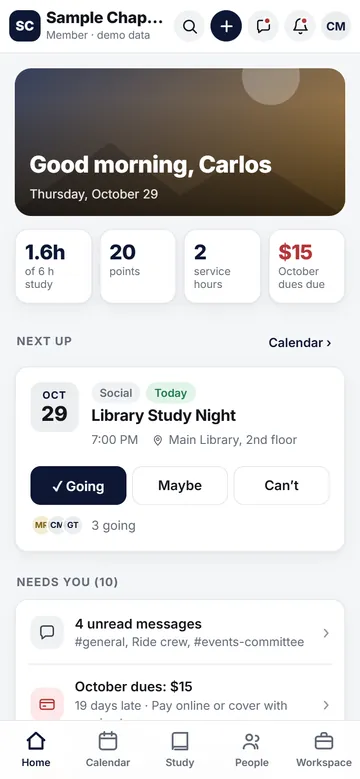
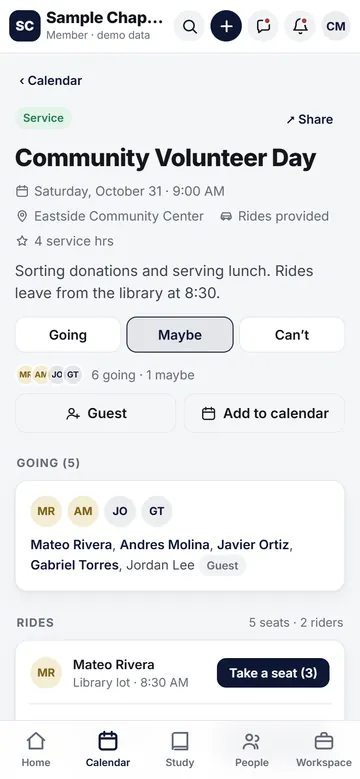
Socials, service, fundraisers, meetings and recruitment events with one-tap Going / Maybe / Can't, mandatory-event badges and reminders, comments, ride sign-ups and add-to-calendar.
For Greek chapters & membership organizations
Chapter Hub brings events and check-in, dues, chat, meetings and minutes, elections, service hours and your new member program into one place your members will actually open. Officers run it. Members just show up.
Run a chapter? Bring Chapter Hub to your chapter →
One app instead of
Features
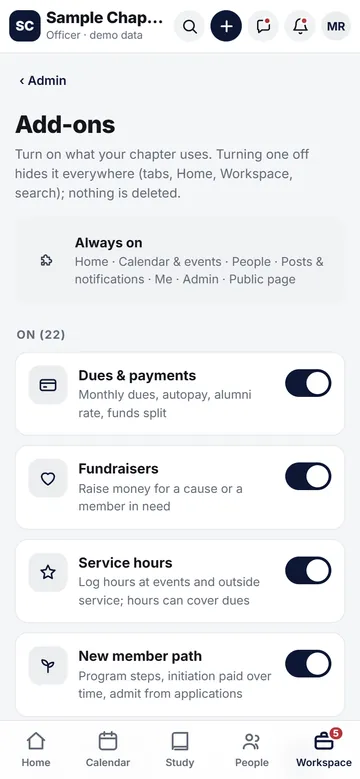
The core is always on. Everything else is an add-on officers switch on or off, so your app only shows what your chapter uses.
Socials, service, fundraisers, meetings and recruitment events with one-tap Going / Maybe / Can't, mandatory-event badges and reminders, comments, ride sign-ups and add-to-calendar.
A rotating QR code at the door. Members scan it to check themselves in, and attendance is recorded for you.
Monthly dues with autopay, a reduced alumni rate, reminders, and new-member fees paid over time. Card payments run through Stripe; officers record cash and other payments and see who's paid.
Chapter channels, groups and direct messages with reactions and replies, optional disappearing messages and screenshot alerts on phones. Officers can't read members' DMs.
Agenda items, roll call with quorum, minutes typed live in the app, plus meeting and recording links. Recaps are free for members; alumni can unlock them with alumni dues.
Quick polls and officer elections by secret ballot. Only totals are stored, so not even officers can see who voted for whom. Plus an anonymous suggestion box.
Hours logged from events or outside service, approved by officers. Hours can count toward dues ("service in lieu"), and points reward the members who show up.
A step-by-step checklist toward initiation, progress for every new member in one officer view, and a public Join page with applications officers can admit or decline.
A searchable member directory with profiles, positions and Big/Little lineage drawn as a family tree. GPA and dues status stay private to the member and officers.
Focus sessions with a weekly hours goal, study help between members that earns points, and a GPA access list for officers who track academics.
Shared photo albums grouped by event, chapter announcements and officer broadcasts, and automatic reminders for events and dues, sent as push notifications.
Low alumni dues, an alumni network members unlock by meeting alumni in person, "coming to town" visits, and fundraisers with a goal and progress bar.
Take a look
Big buttons, fewer taps, and the next thing you need on top. Light and dark mode included.
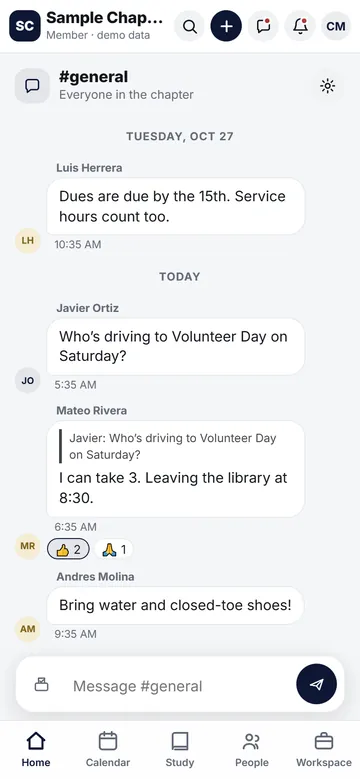
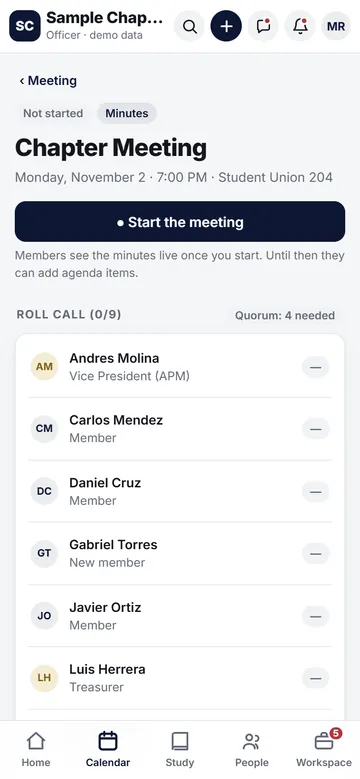
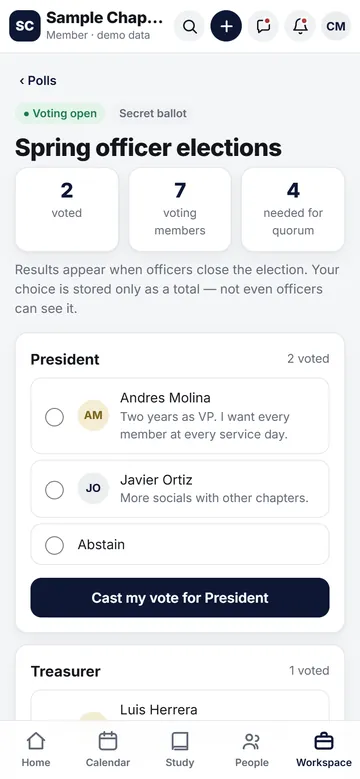
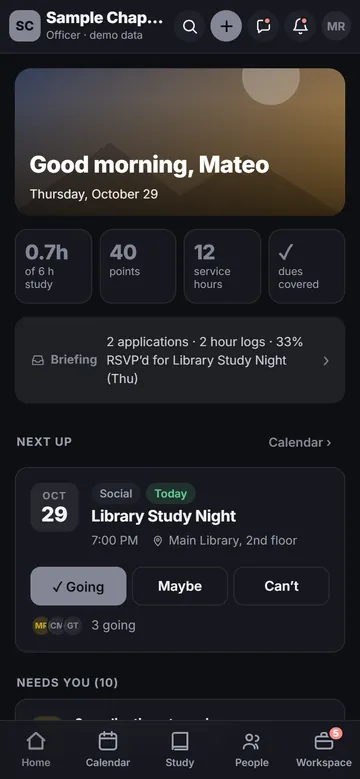
Screenshots use the app's demo mode with a fictional "Sample Chapter" and made-up members.
New and rolling out
Chapter Hub keeps getting better, with updates shipped to the web app and the phone apps together.
Officers check members in at the door, timestamped as on time or late, with walk-ins, an on time / late / absent report you can export, and attendance points.
Send photos, videos, voice notes and your location right in the conversation.
A full emoji picker, stickers and GIF search, so chat feels like your chapter.
Officers can switch on a swear filter: flagged words show as #### when members read chat.
One app, the right view for everyone
Each role gets its own version of the app, and officers can preview the app as any role.
Custom position titles, an inbox of things to approve, Admin tools, and Workspace rooms for docs, budgets, recruitment and points.
Events, dues, chat, study hall, service hours and the directory, with what needs them on Home.
A checklist toward initiation, fees paid over time, and progress they can see.
Low alumni dues, meeting recaps, visits back to town and the alumni network.
Only public events, an About page and a Join application. Nothing private.
Make it yours
Chapter Hub is white-label. Officers set the chapter's look in Admin → Branding & theme, and the app keeps every color combination readable.
Privacy & safety
Chapter Hub collects what it needs to run your chapter, and that's it.
We never sell your data, show ads, or track you across other companies' apps and websites.
Officers can't read members' direct messages. GPA and dues status are visible only to the member and officers. Election choices are stored only as totals.
Anyone can report a message or block a member. Reports are reviewed within 24 hours, with zero tolerance for abuse.
Lock the iPhone app behind Face ID, so your chapter stays private even if someone else picks up your phone.
Ride sign-ups for events, and a one-tap check-in so the chapter knows everyone got home.
Members can delete their account inside the app (Me → Settings → Delete my account). See our Privacy Policy and Child Safety Standards.
Get the app
Same chapter, same account everywhere. The phone apps add push notifications, Face ID lock, the photo picker, calendar and sharing.
Chapter Hub is live on the App Store.
Coming soon to Google Play. Until then, Android members can use the web app in Chrome.
Works in any browser on phones, laptops and school computers. Add it to your home screen like an app.
Our story
Chapter Hub started with a familiar problem: a group chat nobody can keep up with, dues in a spreadsheet, and sign-in sheets that get lost. It was built with, and is used by, a real chapter at Texas A&M International University (TAMIU) in Laredo.
Now we're bringing it to more chapters and membership organizations.
FAQ
Fraternity and sorority chapters first, and also student organizations, clubs and other membership groups that run events, collect dues and hold meetings.
We're setting up chapters one at a time, so we don't publish pricing yet. Contact us and we'll walk you through it.
No. Chapter Hub works in any web browser at getchapterhub.com/app. Members on iPhone can also get the App Store app, and the Android app is coming soon to Google Play.
No. Officers can't read direct messages. If a message is reported, officers can act on that reported message.
Members pay dues, fees and fundraisers by card on the web through Stripe, including autopay. Treasurers can also record cash and other payments by hand, and service hours can count toward dues if your chapter allows it.
Yes. Each chapter sets its own name, letters, motto, two colors, cover photo and optional crest. Your chapter is responsible for having the right to use its marks.
No. Chapter Hub is an independent product of HIL LLC. It isn't affiliated with or endorsed by any national fraternity, sorority or university.
Visit Support. You can delete your account inside the app at Me → Settings → Delete my account.
Bring Chapter Hub to your chapter
Tell us a little about your chapter and we'll show you around and get you started. Prefer plain email? Write to us anytime.
contact@alltimestories.tvAlready a member? Open the web app or visit Support.